HACKATHON PROJECT JOURNAL · SEPTEMBER 2026

THE TERMINAL
THAT SHOULD NOT EXIST.

Two people. One useless idea. A real Linux terminal that does the opposite of what you ask it to do.

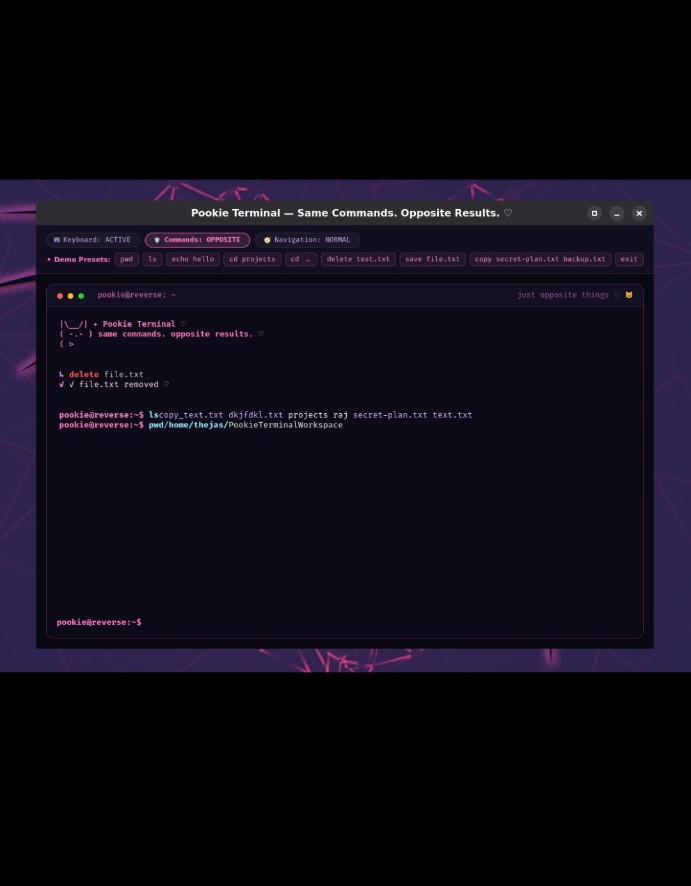
pookie@reverse:~$ delete file.txt
✓ file.txt removed

# Same command. Opposite result.
pookie@reverse:~$ ls
copy_text.txt   projects   secret-plan.txt   text.txt
The day

We started with absolutely no idea.

The build started around 8 AM. By 11 AM, after throwing away ideas that were too useful, we finally had something suitably pointless.

08:00 AM — THE VOID

No idea. Zero direction.

We started the hackathon without a solid project idea. We brainstormed, searched, and kept asking the most important question for a useless-project competition: “Is this actually useless?”

If it solves a real problem, reject it.

One of our early ideas came from an Instagram reel about making a matchmaking/marriage-related webpage. It could have been useful — which was exactly the problem.
11:00 AM — FINALLY.

The opposite terminal.

We finally settled on a terminal where selected action commands do the opposite. The idea also connected with a terminal project I had wanted to build for a while.

Sreelakshmi started shaping the UI/UX while I focused on the terminal implementation.

11:00 AM → 12:00 PM — MAKE IT LOOK REAL

First milestone: a terminal-looking webpage.

Before touching the actual terminal, we turned the UI/UX into a working webpage. By around noon, we had the visual shell of Pookie Terminal.

It looked like a terminal. It just wasn't one yet.

12:00–12:30 PM — FUEL

Even useless software needs food.

Quick food break. Then back to making the fake terminal become a real one.

01:00 PM — OKAY, MAKE IT REAL

The webpage became an actual terminal.

An outside suggestion pushed us toward turning the UI into a real terminal rather than stopping at the webpage. I started working on the Python side and the actual terminal behaviour.

The important design decision was to reverse actions, not navigation. Commands such as ls, pwd, and cd remain normal so the terminal is still usable.

~03:00 PM — IT ACTUALLY WORKED

The moment the stupid idea became real.

The terminal was working. It could interact with the real filesystem instead of being just a fake terminal screen.

We tested navigation, file operations, and the opposite-command behaviour. Some mappings worked; a few, including lock/unlock, did not make it into the working set.

Things that broke

Because of course it did.

The journal is not a changelog. These are the moments where the project actually fought back.

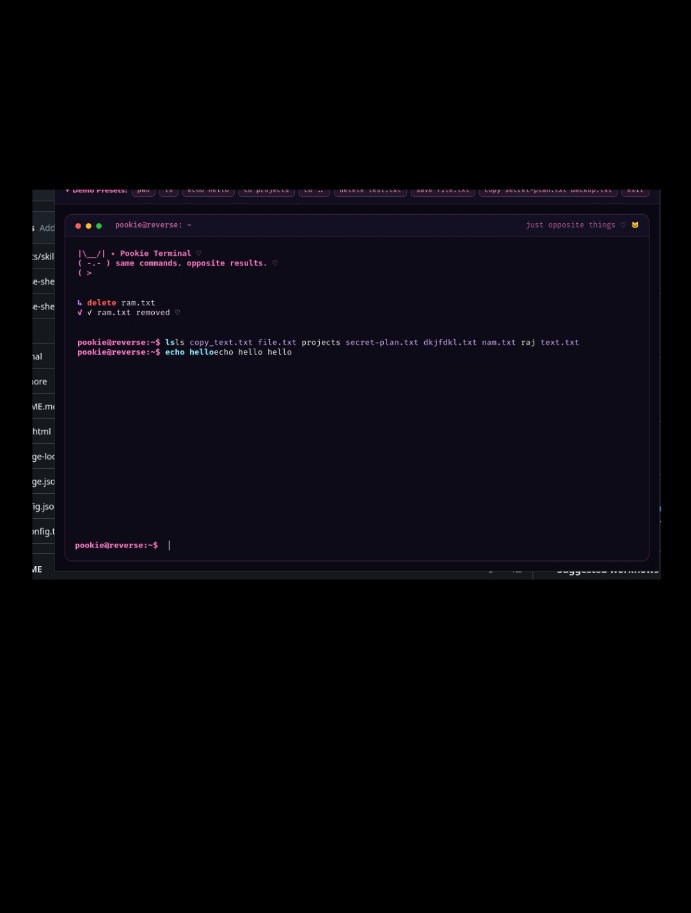
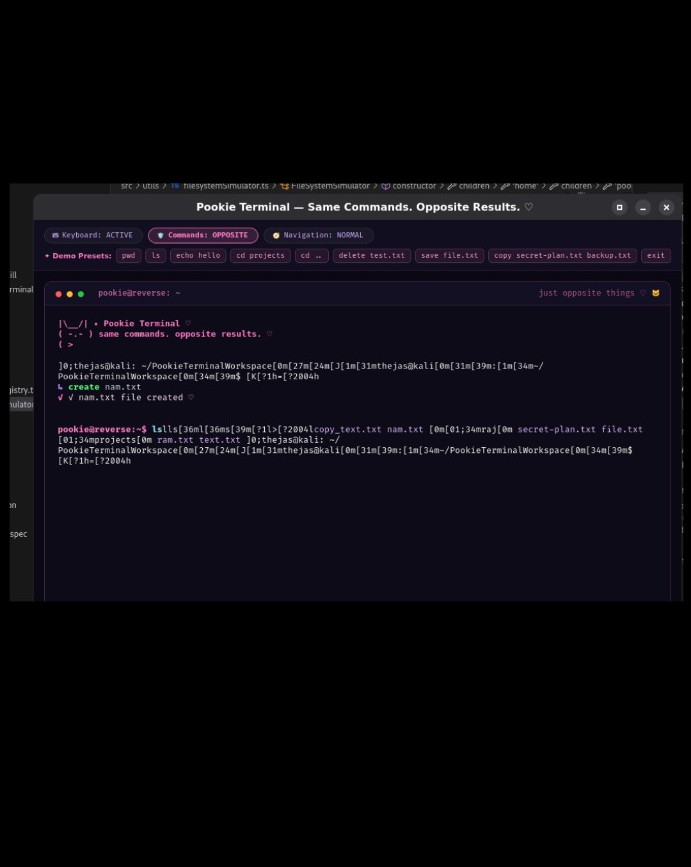
Pookie Terminal with unwanted terminal control characters
The broken output: unwanted control/formatting sequences appeared inside the terminal.
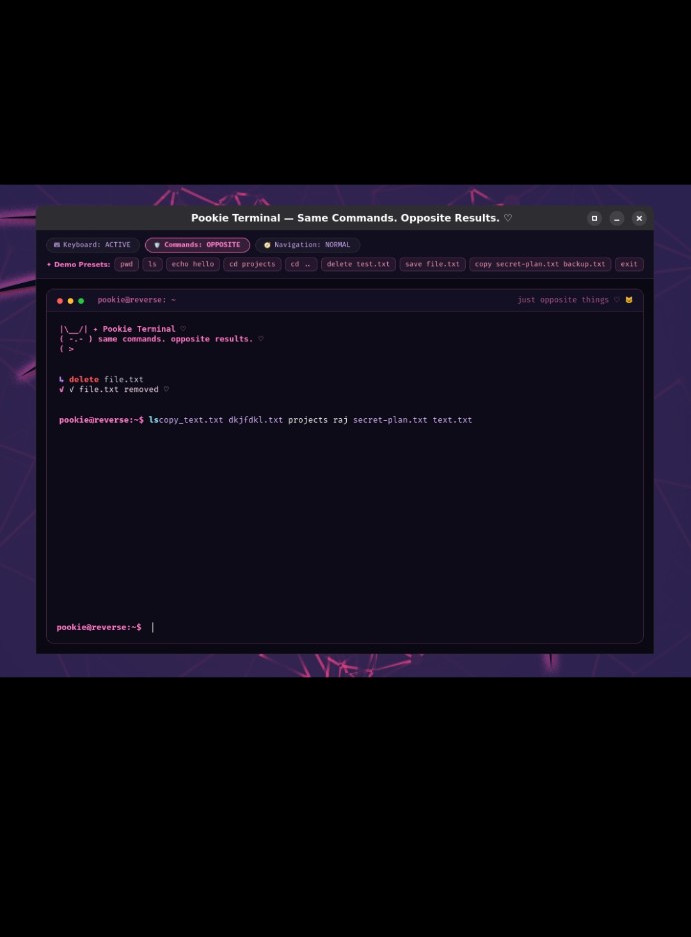
Pookie Terminal with cleaner output
A later test with cleaner output after working through the terminal-output issue.
THE PINK-SQUARE / CONTROL-CHARACTER INCIDENT

Why is my terminal speaking gibberish?

During testing, terminal formatting/control sequences started appearing as literal characters in the output. Instead of a clean ls, we were getting things that looked like [31m, [0m and other escape-code fragments.

We had to stop building features and clean up the terminal output before moving on.

Debugging GIF
DEBUGGING
When the terminal decides to invent its own language.
GIF source ↗
Coding GIF
BUILD MODE
Back to typing until the thing behaves.
GIF source ↗
The real boss fight

The terminal worked.
The server didn't.

~5:00 PMSubmission target. We needed a live link.
ProblemA real terminal needs an underlying machine/server to actually run.

We explored ways to make the real terminal accessible online, including SSH/Codespaces and server options. We ran into access and payment/account limitations and never got a working server in time.

So the real terminal stayed local. The hosted webpage became the thing we could submit.

Connection lost GIF
DEPLOYMENT BOSS
When the code works but there is nowhere to run it.
GIF source ↗
Confused GIF
8 AM ENERGY
Also approximately how we started the day.
GIF source ↗
The evidence

Here is what actually worked.

The screenshots below are from the real project. No polished fake demo — these are the terminal states we captured while testing.

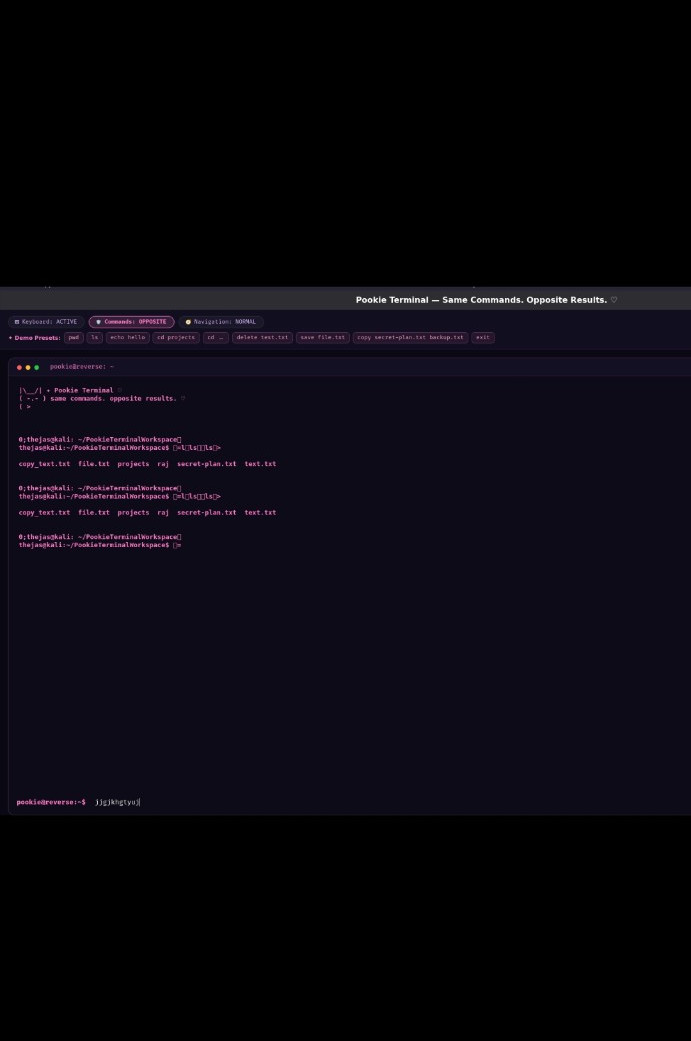
Pookie Terminal screenshot
Pookie Terminal — real terminal interface.
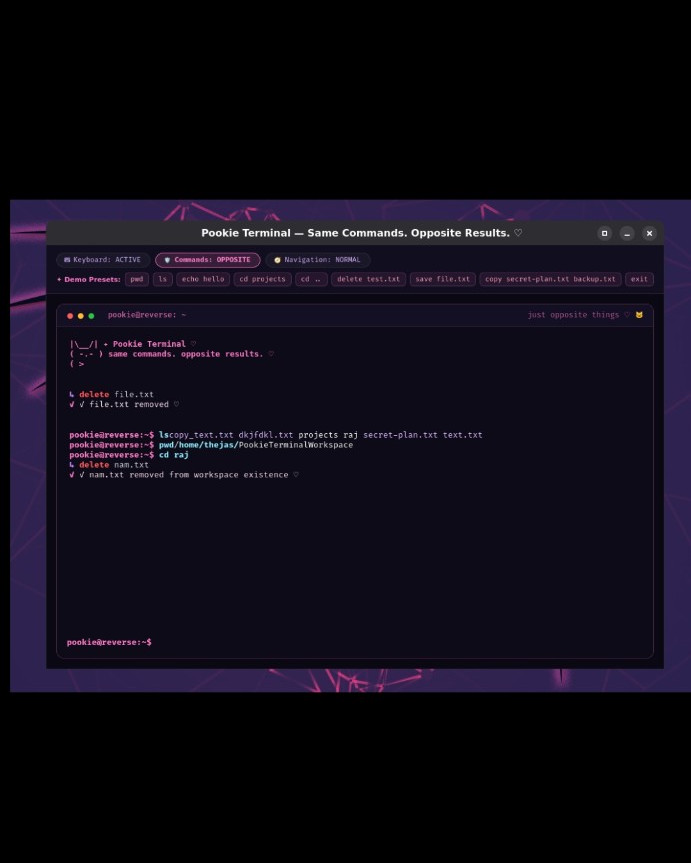
Pookie Terminal delete screenshot
The delete action producing the opposite behaviour.
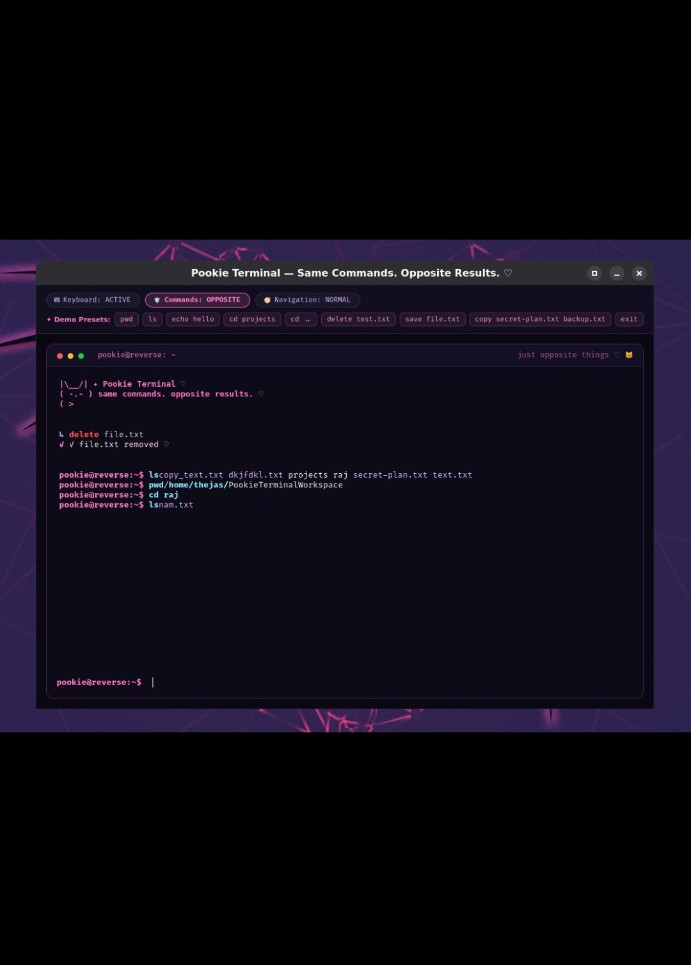
Pookie Terminal screenshot
Normal navigation and filesystem interaction.
Pookie Terminal screenshot
Another final-state terminal test.
Pookie Terminal screenshot
Clean final terminal view.
6–7 PM — PRESENTATION

The projector chose violence.

When it was time to present, connecting the laptop to the projector didn't give us the terminal. The projector showed the wallpaper/background instead.

So the presentation became more hands-on: we brought the laptop closer and showed the project directly.

Projector GIF
PRESENTATION MODE
The one piece of hardware we did not code.
GIF source ↗
The two-person team

Who did what?

Thejas VWorked mainly on the actual terminal implementation and Python side, including command behaviour and getting the real terminal running.
SreelakshmiFocused mainly on the UI/UX and helped shape the visual direction of Pookie Terminal.
What we learned

A useless project taught us useful things.

  • A terminal-looking webpage and a real terminal are two very different problems.
  • Keeping navigation normal while reversing actions made the concept much more usable.
  • Terminal output is not just text — control sequences and formatting have to be handled correctly.
  • Getting software to work locally is only part of the problem. Making it accessible online can be a completely separate challenge.
  • Presentation hardware can fail even when the software is working.
We started the day without an idea. We ended it with a terminal that actively disagrees with us.